An online ordering system for UAE restaurants and cafés, with no commission per order
Cupcloud's online ordering system gives a UAE restaurant or café its own ordering website, in English and Arabic, where customers order for the table, from the car, for delivery or for pickup without an app. Cupcloud takes no commission per order and never holds the money. Every online order lands in the same queue, kitchen ticket, counter POS and day close as orders taken at the counter.
Cupcloud is an ordering system that belongs to your café, not a marketplace you are listed on. Customers order from your own ordering website, under your own name; these direct orders land in your staff queue; and the money is yours. Because the same system runs your counter and your kitchen, an online order is not a second job for anyone: it is just another order.
Your café's own ordering site
Your café gets its own ordering site at an address like cafename.cupcloud.ae, in English and Arabic, with your logo and colours. A customer who opens it sees only your menu and orders from you directly, in their phone's browser, without installing anything. The menu, checkout and tracking page carry your café's name and colours.
Cupcloud is the software in the middle and nothing more. It never holds your money and it takes no share of each order. What a customer pays, they pay to your café. Share the link in your Instagram bio and WhatsApp replies, or print it as QR codes for tables and the car park.
Every way to order, each a switch
Most cafés in the UAE serve people in more than one way in the same hour. Cupcloud handles each one, and you turn on only the ones you offer. A way that is off takes no order on any path.
- At the table: the customer scans the table's QR code and the order carries the table number
- From the car: the customer gives the plate number, emirate and mobile, so staff know which car to walk to
- Delivery: the customer drops a pin, and your own zones set the fee, the minimum order and the arrival time
- Pickup: order on the phone, collect at the counter
- Takeaway and phone orders: staff enter them on the counter POS, into the same queue
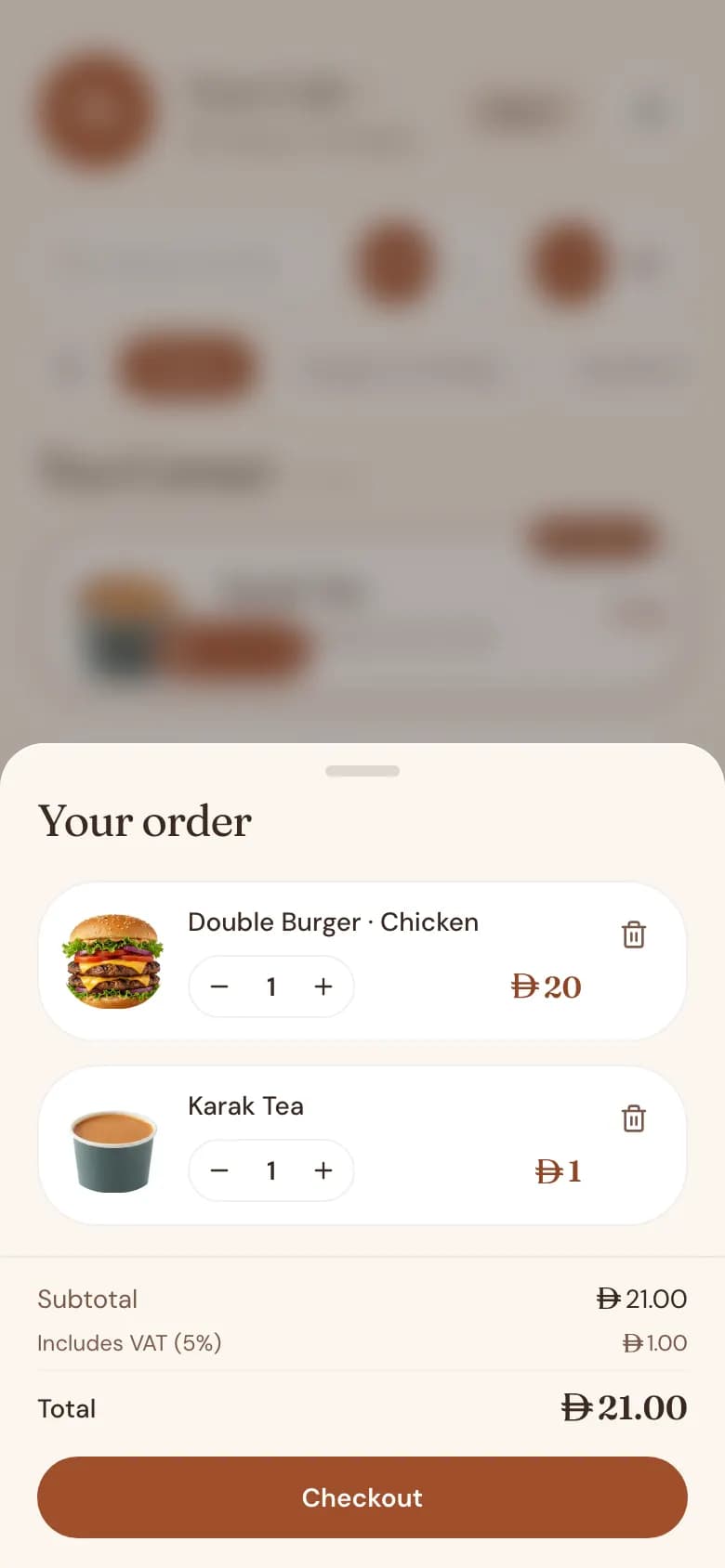
Guest checkout with a UAE mobile, accounts if they want one
Nobody has to sign up to order. A guest gives a name and a UAE mobile, which every order needs so your staff can call if something is missing, and the details are remembered on that phone for next time. Recent orders on the phone can be reordered in a tap.
Customers who want an account can create one for your café with Google or with an email and password. They keep saved addresses, see their orders, and can delete their account whenever they like. Privacy is built in: a phone number typed at checkout never reveals anyone's account or address.
A tracking page and notifications, in your café's name
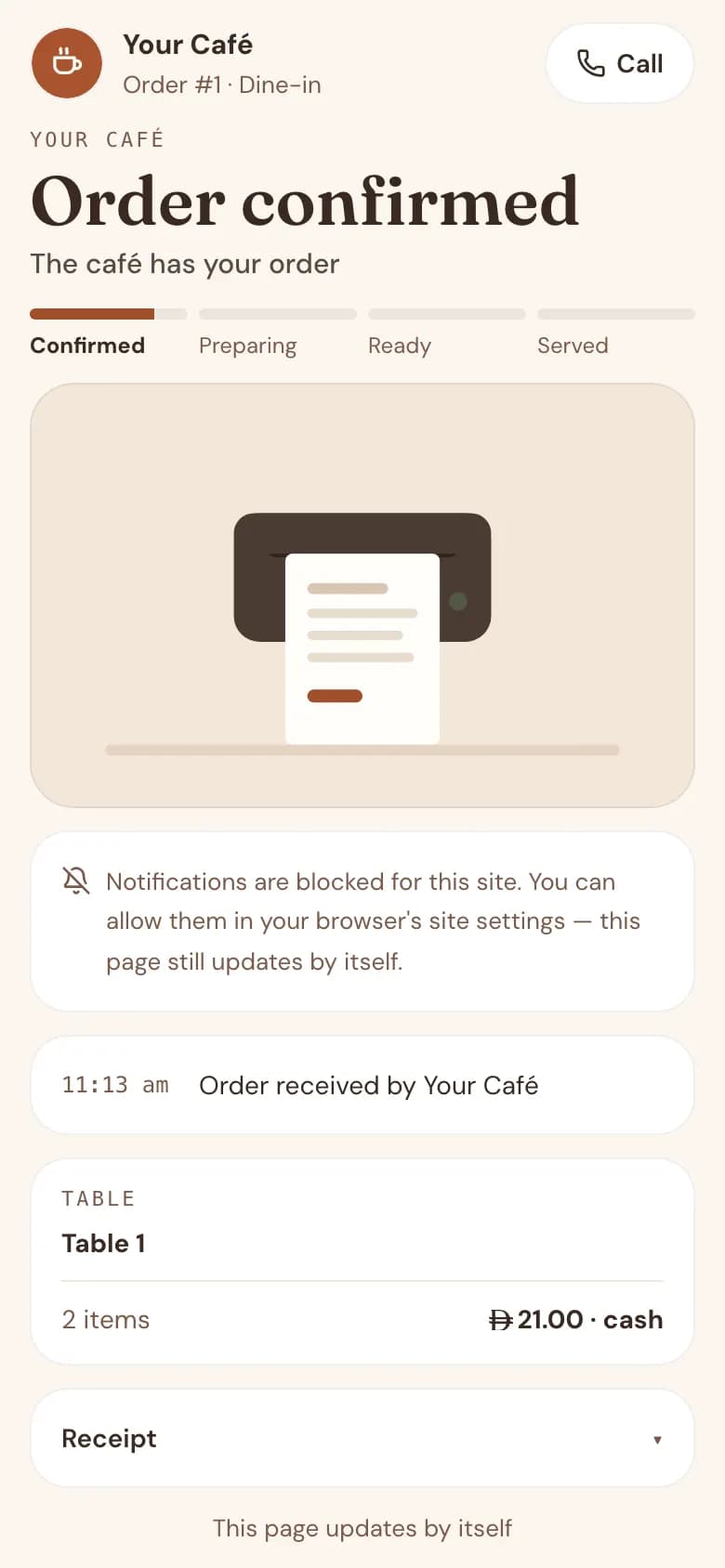
After ordering, the customer gets a live tracking page: accepted, preparing, ready, on the way, delivered. It updates by itself, with a chime and a vibration when the status changes, and the customer can turn on browser notifications so they do not need to keep the page open. On an iPhone they can add it to the Home Screen and it opens that order.
Cupcloud sends no SMS or automatic WhatsApp messages; the tracking page does that job. If the customer wants, they can also send the order summary to your café's WhatsApp with one tap after ordering, as a record on both sides.
How customers pay
Cash and your own card machine work at the table, the counter, the car or the door, and the counter POS records it, including one bill split between card and cash.
Online card payment runs through your café's own payment gateway account, so funds go straight from the customer to you. PayTabs you can connect yourself in Settings; N-Genius, Ziina, Mamo, Tap, Stripe, Checkout.com and Telr are set up with our team. Pay online works for car, delivery and pickup orders, and at the table when you turn it on; the customer signs in to their account first, so you can always reach them if a payment goes wrong. The gateway's confirmation marks the order paid, only for the exact amount.
Opening hours, pre-orders, timed items and Google
Set your opening hours and the site shows Open or Closed. When you are closed the menu still shows and ordering pauses, unless you choose to accept pre-orders. Items with serving times, like breakfast, show when they are back and cannot be ordered outside their hours, online or at the counter.
Your ordering site is also findable. Every item has its own page in English and Arabic that search engines can index, and your site has its own sitemap, so a customer searching for a dish near them can land on your item and order it.
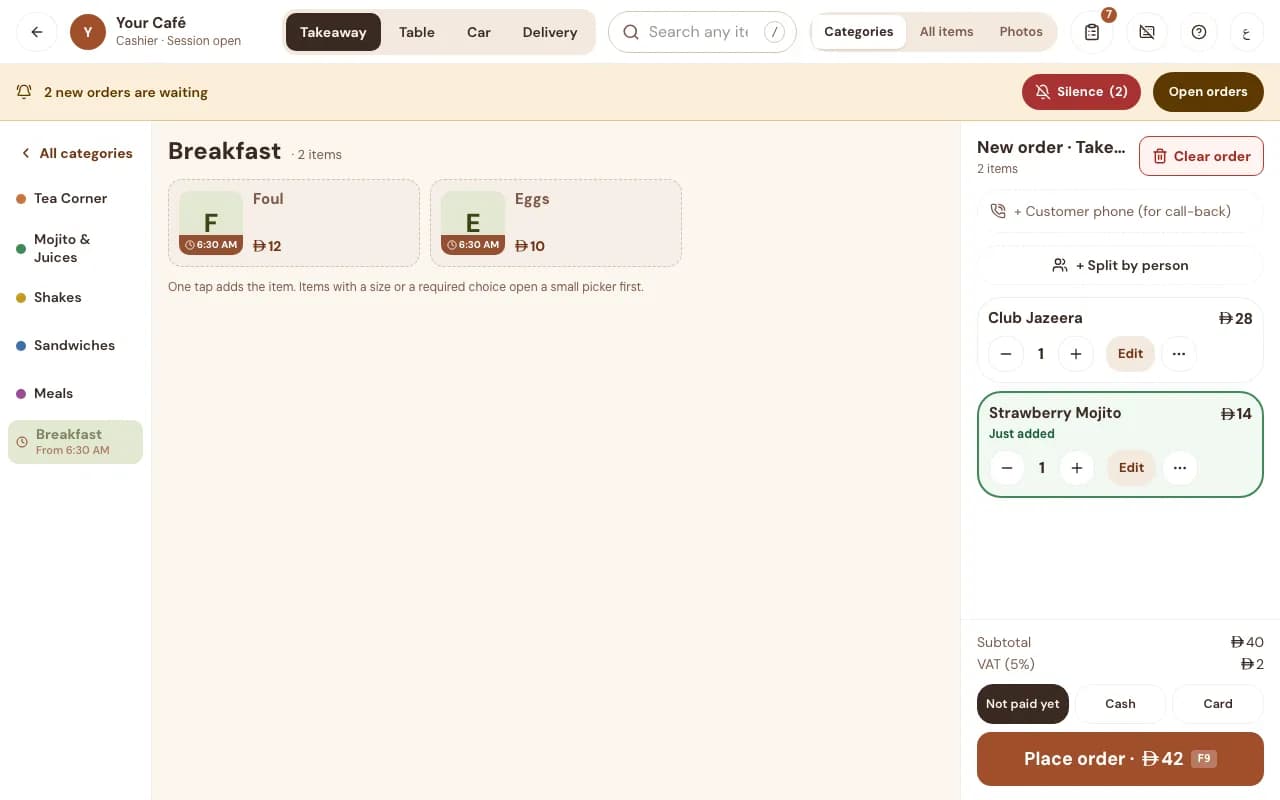
Online orders land in the same POS, kitchen and day close
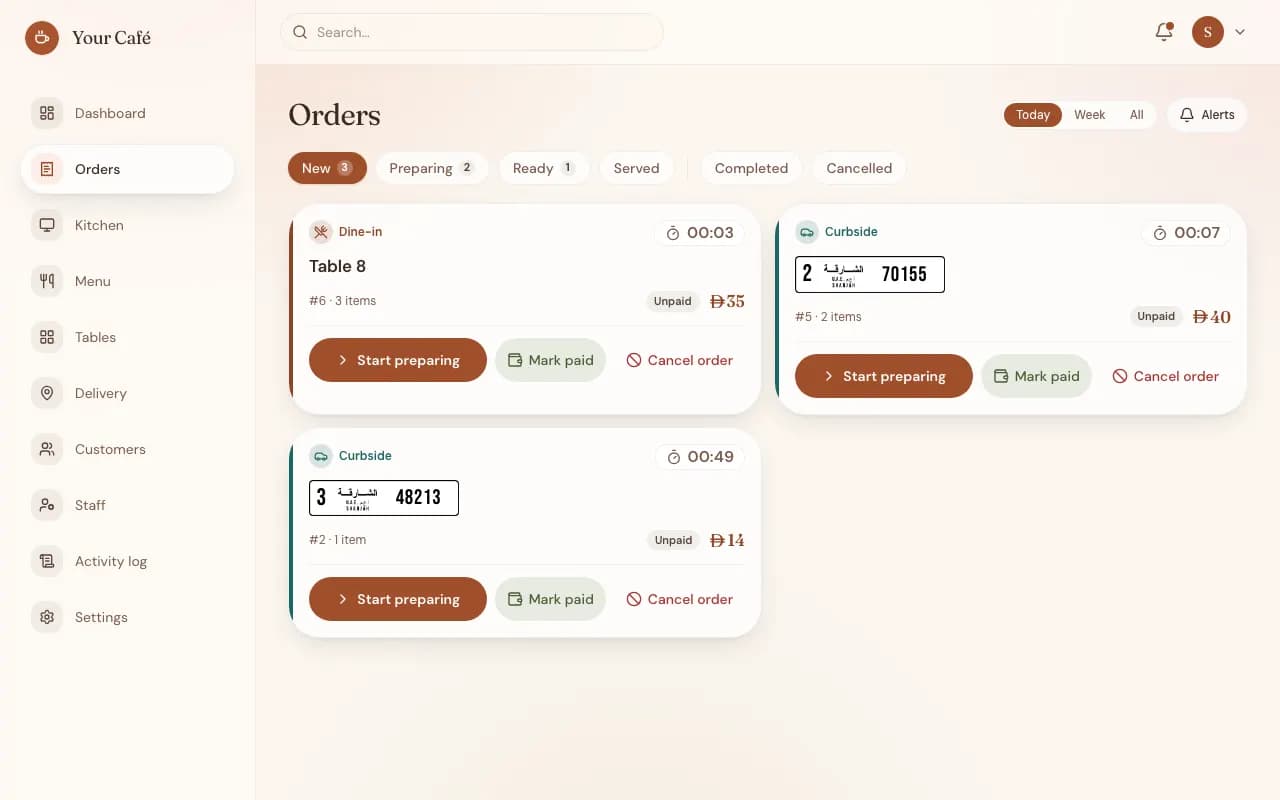
Every online order appears on one live queue and rings until someone accepts it. It goes to the kitchen screen or prints a kitchen ticket and item labels, and it counts in the day's X and Z reports next to the cash and card taken at the counter. Your cashier never retypes an online order into a separate till.
One honest limit: Cupcloud does not bring in orders from delivery apps. It is your own ordering channel, alongside whatever else you run.
Common questions
Does Cupcloud take a commission on online orders?
No. There is no commission per order, and Cupcloud never holds your café's money.
Do customers need to download an app or create an account?
No. They order in the phone's browser as a guest with a UAE mobile. An account by Google or email is optional.
Can customers pay by card online?
Yes, through your café's own gateway account, so the money goes straight to you; the customer signs in first. PayTabs you connect yourself; other gateways are set up with our team.
Does it connect to Talabat or other delivery apps?
No. Delivery-app orders are not brought into Cupcloud. It is your own ordering site, with your own zones and drivers.
Can customers order when my café is closed?
The menu still shows and ordering pauses. You can choose to accept pre-orders for when you open.
Is this a WhatsApp ordering bot?
No. Customers order on your site and follow the order on its tracking page. They can send the summary to your WhatsApp if they want to.
What is the difference between my own ordering site and a delivery app?
Your ordering site for a café is yours: customers order directly from you under your name, you set the menu and the delivery fees, and Cupcloud takes no commission per order. A delivery app lists you next to other places and handles the order on its own terms. Many cafés keep both; Cupcloud does not bring delivery-app orders in.
Can I sign up and start today?
Sign up online for a 14-day free trial, no card needed, or message us on WhatsApp and our team will set up your café with you. Pricing after the trial is on request.