A free menu QR code generator for your restaurant or café
Paste the link to your menu, choose a colour and download a QR code ready to print. It is free, there is no signup, and nothing is uploaded: the code is made inside your own browser. Below the tool you will find plain advice on printing it so it scans first time.
Paste the full address of your menu, starting with https://
Dark colours on a white background scan best. Test the printed code with two different phones before you print many.
How to use the menu QR code generator
The tool turns any menu link into a QR code. It works with a Cupcloud menu address, a page on your own website, or any other link your customers can open on a phone.
- Paste or type your menu link, and check it opens the right page
- Choose the colour of the code
- Download it as a PNG for everyday printing and sharing, or as an SVG if a designer or print shop will resize it
- Scan it with your own phone before you print anything
Printing tips so the code scans first time
Most QR codes that fail were printed too small, too pale or too close to the edge. A few habits avoid almost every problem.
- Size: print it bigger than feels necessary. A code on a table card is scanned from close up; a code on a window or a car-park sign is scanned from much farther away and needs to be far larger
- Contrast: a dark code on a light background. Pale colours, and light codes on dark backgrounds, are harder for phone cameras to read
- Quiet margin: leave a clear, empty border around the code. Do not let text, a frame or the edge of the sticker touch it
- Flat and matte: glossy lamination reflects ceiling lights, and a code wrapped around a curved cup or pillar may not scan
- Sharp edges: use the SVG for large prints so the squares stay crisp
- Test before printing in bulk: print one copy, put it where it will live and scan it with two or three different phones
Where to place it: tables, windows and flyers
On tables, a small stand or a sticker near the edge works well, facing the seat rather than the ceiling. Add a short line in English and Arabic so people know what the code is for, such as scan for the menu.
On a shop window or door, place the code at about eye level and where the glass does not glare in the afternoon sun. If customers order from their cars, a larger code on a sign they can reach with a phone camera from the driver's seat saves them stepping out.
On flyers, bags and delivery boxes, keep the code away from folds and seams. A code printed across a crease is the one that will not scan.
A fixed link and a menu that changes
A QR code made here is static. It simply holds the link you pasted, and it keeps working for as long as that link does. It does not expire and it does not pass through Cupcloud.
That means the link matters more than the code. If your link points to a menu page that you can edit, you can change prices and items as often as you like and the printed code stays correct. If it points to a file, such as a PDF or a photo whose address changes every time you upload a new one, every menu update means printing new codes.
So before printing a few hundred stickers, make sure the link is one you intend to keep.
When one QR code per table is better
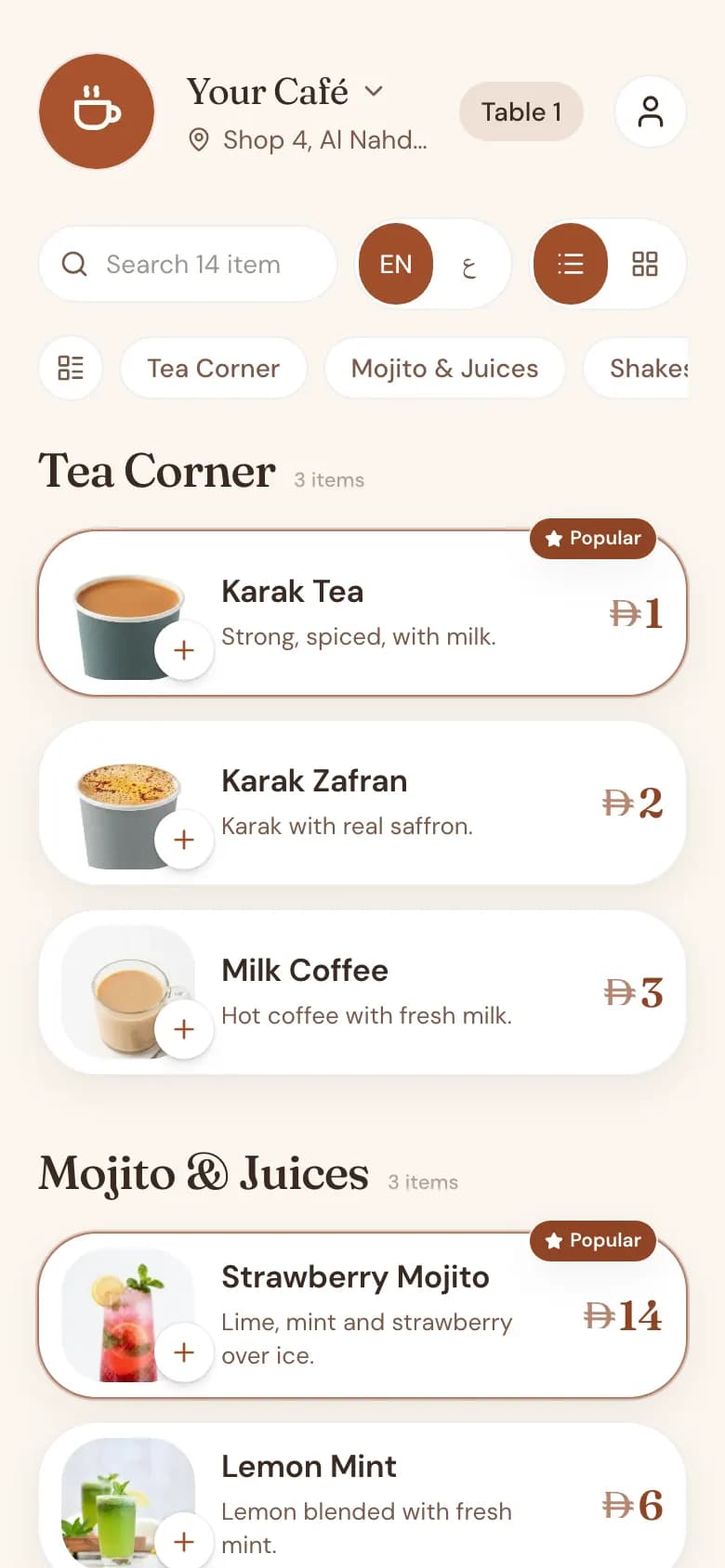
One code for the whole shop is enough when customers only read the menu. When they order from it, the kitchen needs to know where the order is going, and a single shared code cannot tell table four from table nine.
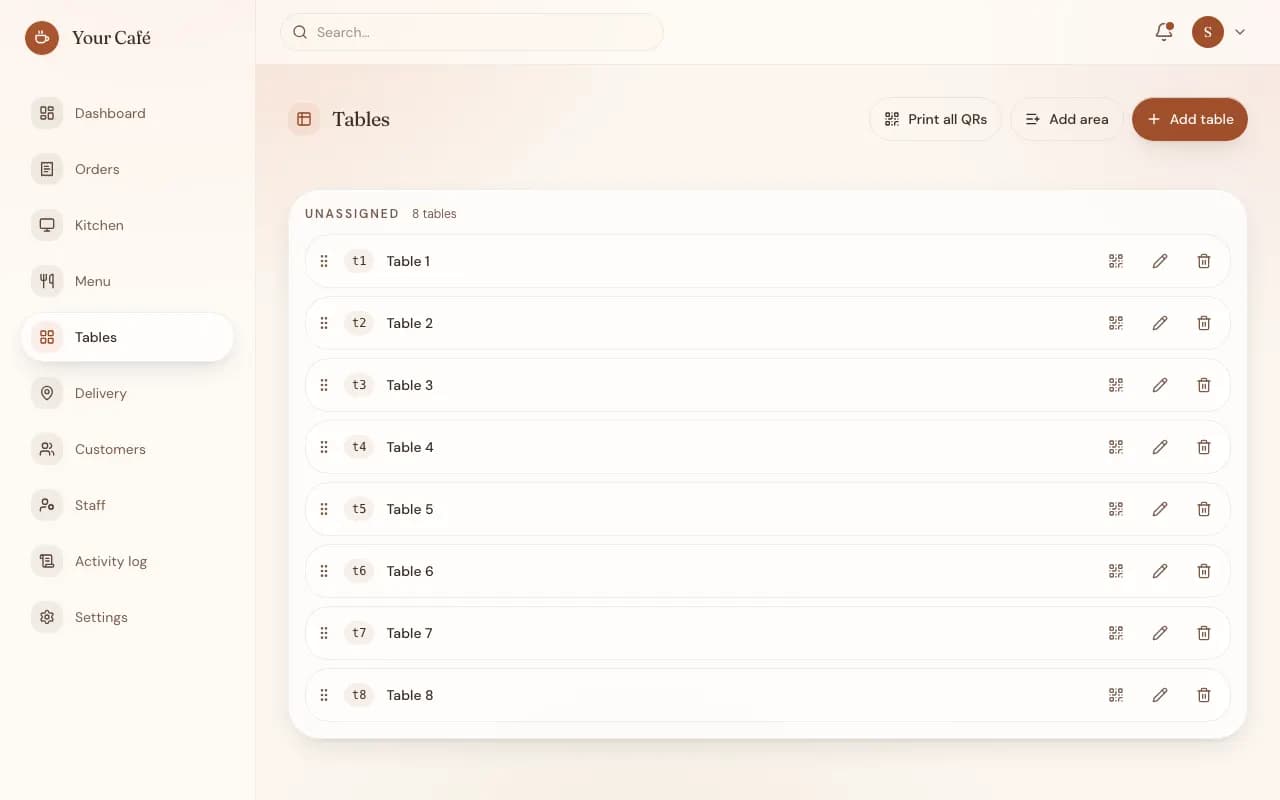
For cafés on the Cupcloud platform, the admin generates a separate QR code for every table. A customer scans the code on their table, orders in the phone's browser, and the order reaches the staff queue already marked with the table. Nobody has to type a table number or wave for a waiter.
This free generator is for a single link. If you want per-table codes with ordering behind them, that is part of Cupcloud itself.
Common questions
Is the menu QR code generator really free?
Yes. It is free to use, with no signup and no account.
Is my menu link sent to Cupcloud?
No. The QR code is created in your browser, on your device. Nothing is uploaded.
Will the QR code stop working after some time?
No. The code only contains your link, so it works for as long as the link itself works.
Should I download PNG or SVG?
PNG is fine for everyday use and small prints. SVG stays sharp at any size, so it is the better choice for large signs or when a print shop will resize it.
Can I use a coloured QR code?
Yes, as long as the code is clearly darker than its background. Test the printed code with a phone before printing many copies.
Do I need a Cupcloud menu to use this tool?
No. It works with any menu link. Cafés on Cupcloud also get per-table QR codes generated in their admin.