Order from the car: a car order system for UAE cafeterias and karak spots
Cupcloud's car order system lets customers of UAE cafeterias, karak shops and cafés order from the car on their phone, giving their plate number, emirate and mobile, so staff carry the order straight to the right car: car service without the running. Car orders land in the same queue, kitchen ticket, counter POS and day close as every other order, and staff can enter car orders at the counter too.
The car pulls up, the horn goes, and someone runs out with a notepad. Every cafeteria in the UAE knows this routine, whether your customers call it car service, car dine-in or a drive-in (in America it is called curbside). Cupcloud keeps the car service your customers love and removes the running: they order from the car on their phone, and the order reaches your counter with the plate number on it.
Car service is how your customers already buy
For a karak spot or a roadside cafeteria, the car park is the dining room. People stop for two teas and a paratha and never leave the driver's seat, for a quick car collection or for car dine-in with the tray across the window. That is not a habit to change. It is the business.
The weak point is the bit in between. A staff member leaves the counter to take the order, walks back, calls it out, and walks out again to the right car, if they remember which one it was. When five cars arrive after Maghrib, orders get mixed up and the ones at the back drive off.
How car service works at a UAE cafeteria, step by step
Five steps from the car park to the hand-over. The customer never gets out, and your staff make one trip instead of three.
- 1. Scan the board: from the driver's seat, the customer scans the QR code on your car-park board or opens your menu link. A code from the car-park board opens the menu with car ordering already chosen.
- 2. Order: they choose items, sizes and add-ons in English or Arabic, in the phone's browser, with no app.
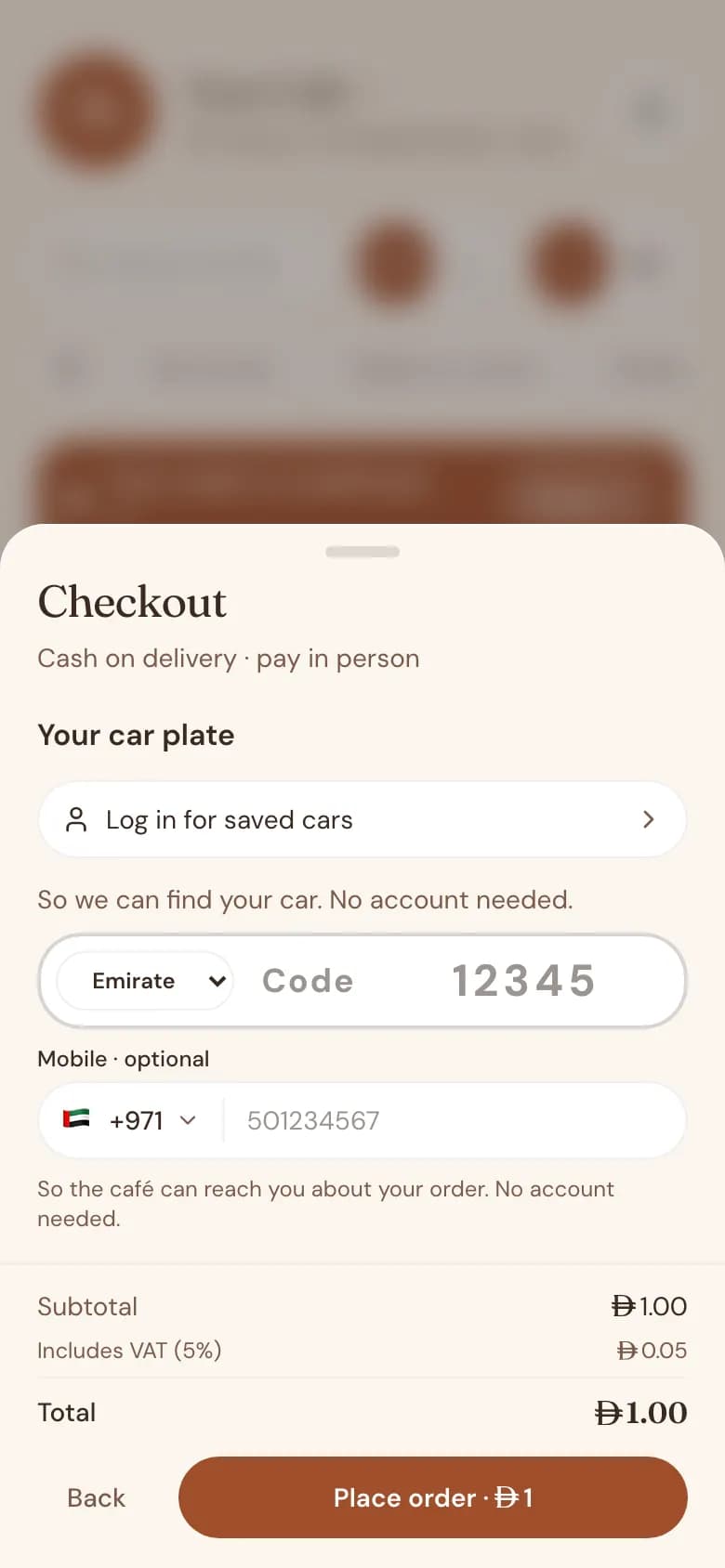
- 3. Plate, emirate and mobile: at checkout they enter the car's plate number, the emirate and a UAE mobile, and choose to pay at the car or by card online.
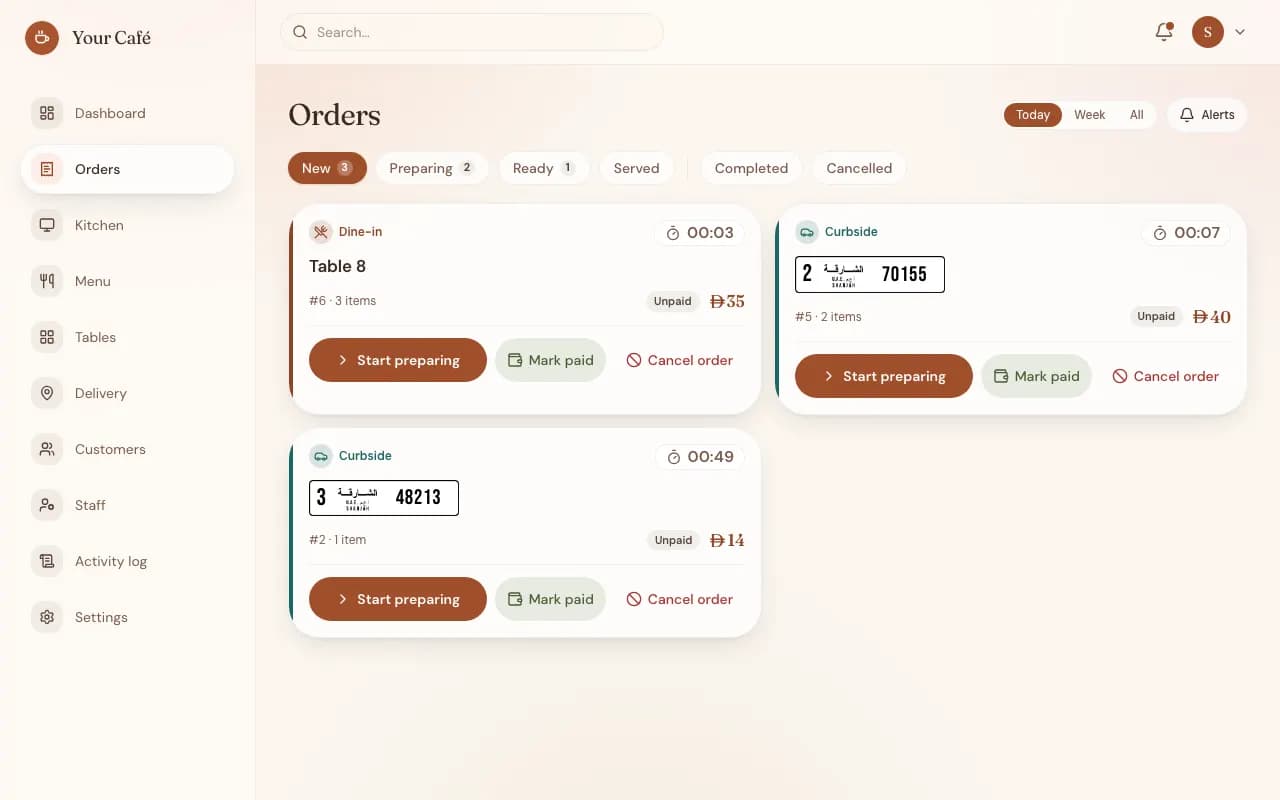
- 4. The café sees the car: the order rings on your staff queue with the plate on it and goes to the kitchen screen or kitchen ticket; with a label printer, the bag label carries the plate too.
- 5. Hand-over: staff carry the order straight to that car, while the customer watches it move on the tracking page.
Why the plate, and why the emirate
A name is no use in a car park. Your staff cannot see who is called Ahmed, but they can read a plate from the door of the shop.
Cupcloud asks for the emirate along with the number because the same digits can be on a Sharjah plate and a Dubai plate parked side by side. With both, there is one car it can be. You do not need numbered parking bays or anything painted on the ground. The car identifies itself.
What your staff see
Car orders land in the same live queue as everything else the café is doing, with a sound so nobody has to watch the screen. The order shows the items, the options chosen and the car it belongs to.
If the kitchen is in the back, you can add a kitchen screen or print a kitchen ticket on a thermal printer. Neither is required. A small shop can run car orders from a single phone or tablet beside the tea station.
Car orders at the counter, and a label on every cup
Not every driver will scan. For the regular who honks and calls out his order, the cashier enters it on the counter POS: choose Car, type the plate and pick the emirate. The mobile is optional for a staff car order, and the car's colour and model can be added so the runner spots it faster. It joins the same queue as the scanned orders.
With a label printer, every car order can print item labels: one label per piece, numbered 2/3 and so on, with the options and the order, plus a bag label with the plate number in the title and the car's colour and model under it. When four karaks and two sandwiches leave the counter at once, each bag says exactly which car it is for. Labels work on thermal label printers and Zebra printers through the print agent on the café's PC.
The customer knows it is coming
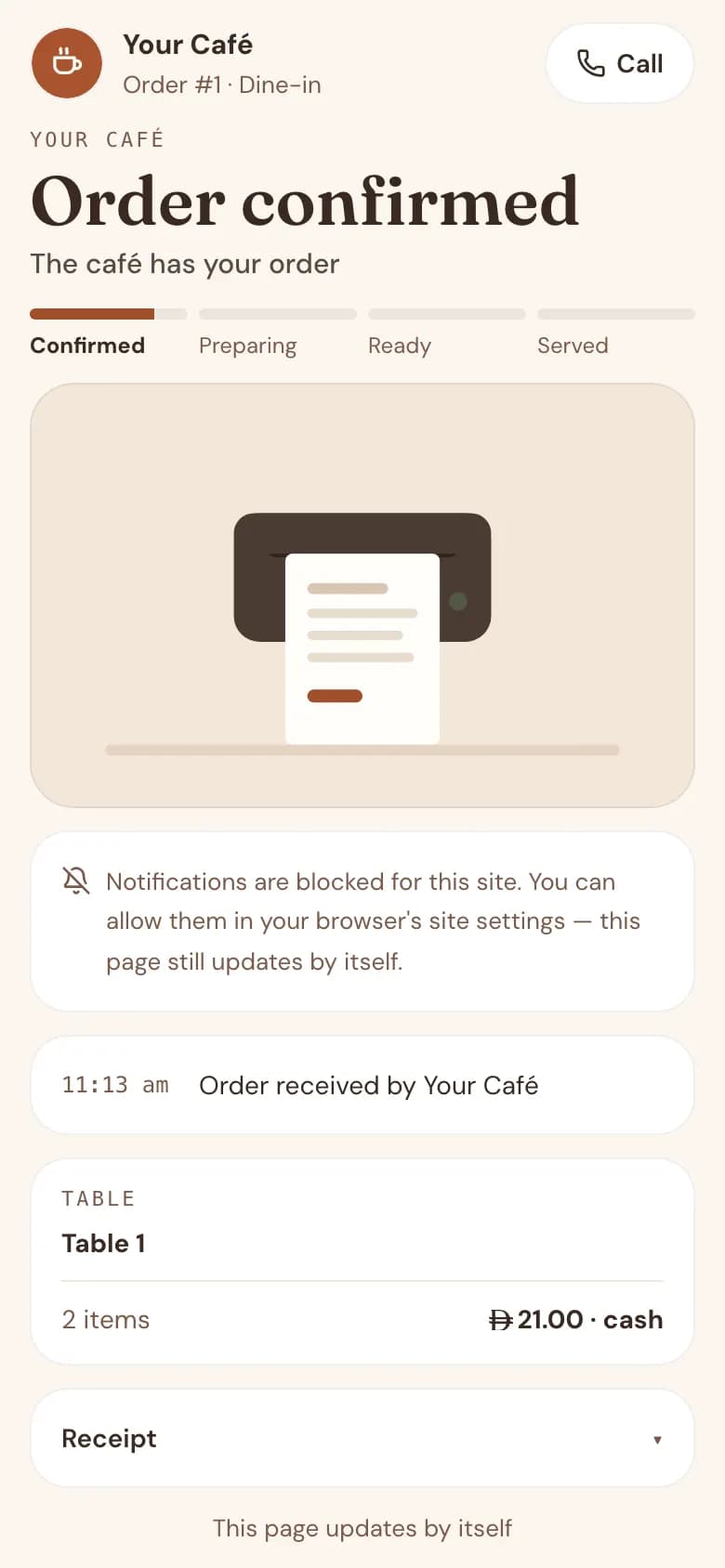
After ordering, the customer gets a tracking page that shows the live status of the order, and can turn on browser notifications if they want. They can see that the order was received and is being prepared, which is exactly what the second and third press of the horn were asking.
Paying at the car
Cash at the car window is what most car customers expect, and Cupcloud works that way out of the box. The customer sees the total before the food arrives, so the right money can be ready, and the cashier can record cash, the café's card machine, or part card and part cash on one bill.
Customers can also pay by card online before you walk out, through your café's own payment gateway account, after signing in to their account. Then the runner only hands over the bag. Either way the money is yours: Cupcloud never holds it and takes no commission per order.
Put the code where a driver can reach it
A code on a table is no help to someone in a car. Put yours where it can be scanned through a windscreen, and give regulars the link so they do not need the code at all.
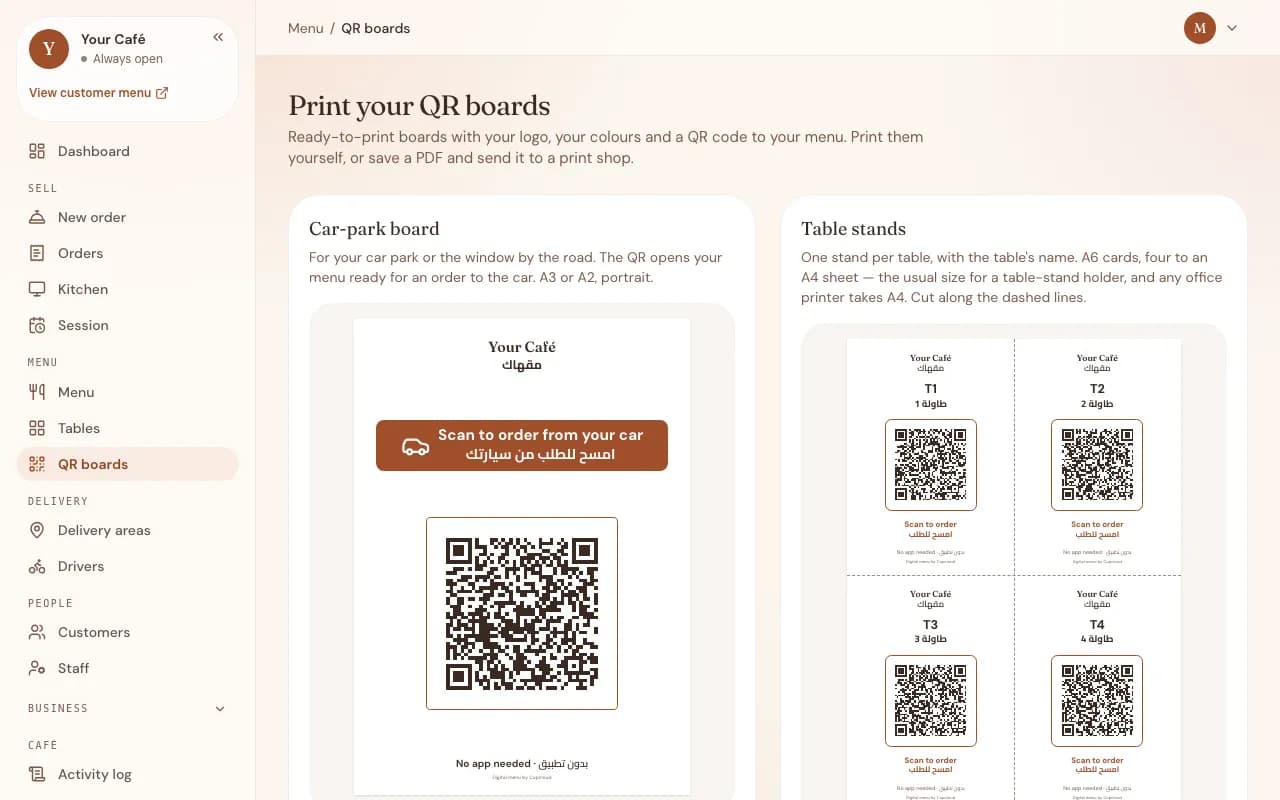
Cupcloud prints the sign for you. On the QR boards page, print a car-park board in A3 or A2, in English and Arabic with your logo and colours, and save it as a PDF for a print shop. A code from the car-park board opens the menu with car ordering already chosen, so the customer goes straight to the plate and emirate.
Car ordering sits alongside your other orders. Table QR orders, delivery and counter orders entered by staff all share the one menu and the one queue, so adding car orders does not mean running a second system.
- A large sticker on the shop window, facing the parking
- A sign at the kerb or on a stand by the parking spots
- On the flyer or bag you already hand out
- The menu link in your Instagram bio and WhatsApp replies
Common questions
Can customers order from the car without an app?
Yes. They scan the QR code on your car-park board or tap your menu link, and the menu opens in the phone's browser. There is nothing to download and no account to create.
Does the customer need to give a phone number?
Yes. Every order a customer places needs a UAE mobile, so your staff can call or message on WhatsApp if they cannot find the car. When your cashier enters a car order at the counter, the mobile is optional.
What if two cars look the same?
Staff look for the plate number and the emirate, not the car's look, so two white cars side by side are still two different orders. For orders taken at the counter, staff can add the car's colour and model too, and the bag label prints the plate with the colour and model under it.
Do I need marked or numbered parking bays?
No. The customer gives their plate number and emirate, and that is what staff look for. It works on an open kerb or a shared car park.
Can we still take orders at the car window the old way?
Yes. Some customers will always prefer it. Staff enter those orders on the counter POS with the plate and emirate; the mobile is optional. They sit in the same queue as scanned orders.
My shop has no seating at all. Is this still for me?
Yes. Car ordering does not depend on tables. A takeaway-only karak shop can use the menu, car ordering and the staff queue.
How do customers pay for a car order?
In cash or by card at the car, or by card online (the customer signs in first) when you connect your café's own payment gateway account. The money goes straight to you.
How do I set up car ordering for my cafeteria?
Sign up online for a 14-day free trial, no card needed, or message us on WhatsApp and our team will set it up with you. Pricing after the trial is on request.