A juice shop POS for the UAE, for menus with a hundred combinations
Cupcloud is a juice shop POS for juice bars, smoothie shops and fresh juice cafeterias in the UAE. It handles sizes and add-ons as choices with their own prices, walks customers through build-your-own juices one step at a time on their phone, prints a label for every cup, and takes orders from cars by plate and emirate. It runs in English and Arabic, with prices in AED and UAE VAT.
A juice menu looks simple on the wall and is complicated behind the counter. Avocado with honey and nuts, a large cocktail with no sugar, a mango with ice cream on top, a mix of three fruits the customer chose, and four of them in one car. Written on a pad, the add-ons go missing and the cups get mixed up. Cupcloud keeps every size and add-on on the order and on the cup, from the customer's phone or the counter to the car window.
A summer evening at a juice shop, with Cupcloud
This is a hot July evening at a juice shop in Ajman, using only what Cupcloud does today.
- 9:15 pm. A family car pulls up. The mother scans the car-park QR, opens the build-your-own juice and walks through the steps: size large, then up to three fruits (mango, strawberry, kiwi), then sugar, then ice, with Your choices growing as she goes
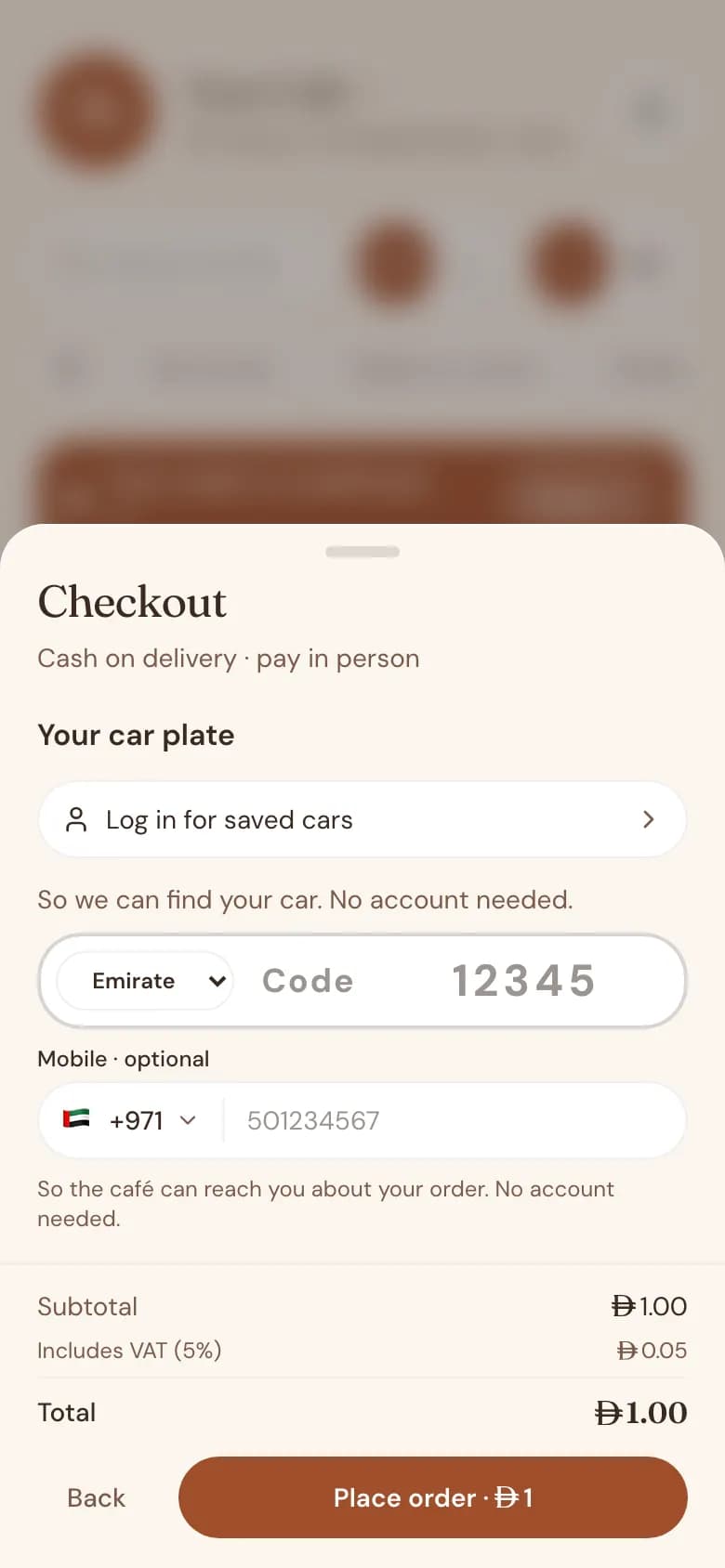
- She adds an avocado with honey and nuts, two small orange juices for the children, enters the plate, emirate and her mobile, and sends the order
- The staff screen rings until someone accepts it. A label prints for each of the four cups, with the plate, the juice, the size and the add-ons, numbered 1/4 to 4/4
- At the counter, a regular asks for his usual cocktail. The cashier types its short code, the size box opens, the number key picks large, and the order is in
- A staff member carries the four cups to the car with the plate on the bag label. The family pays cash and the dialog shows the change
- By 11 the mango is finished for the day. The manager marks it sold out, and it stays on the menu but cannot be ordered, on the phone and at the till
Sizes and add-ons with their own prices
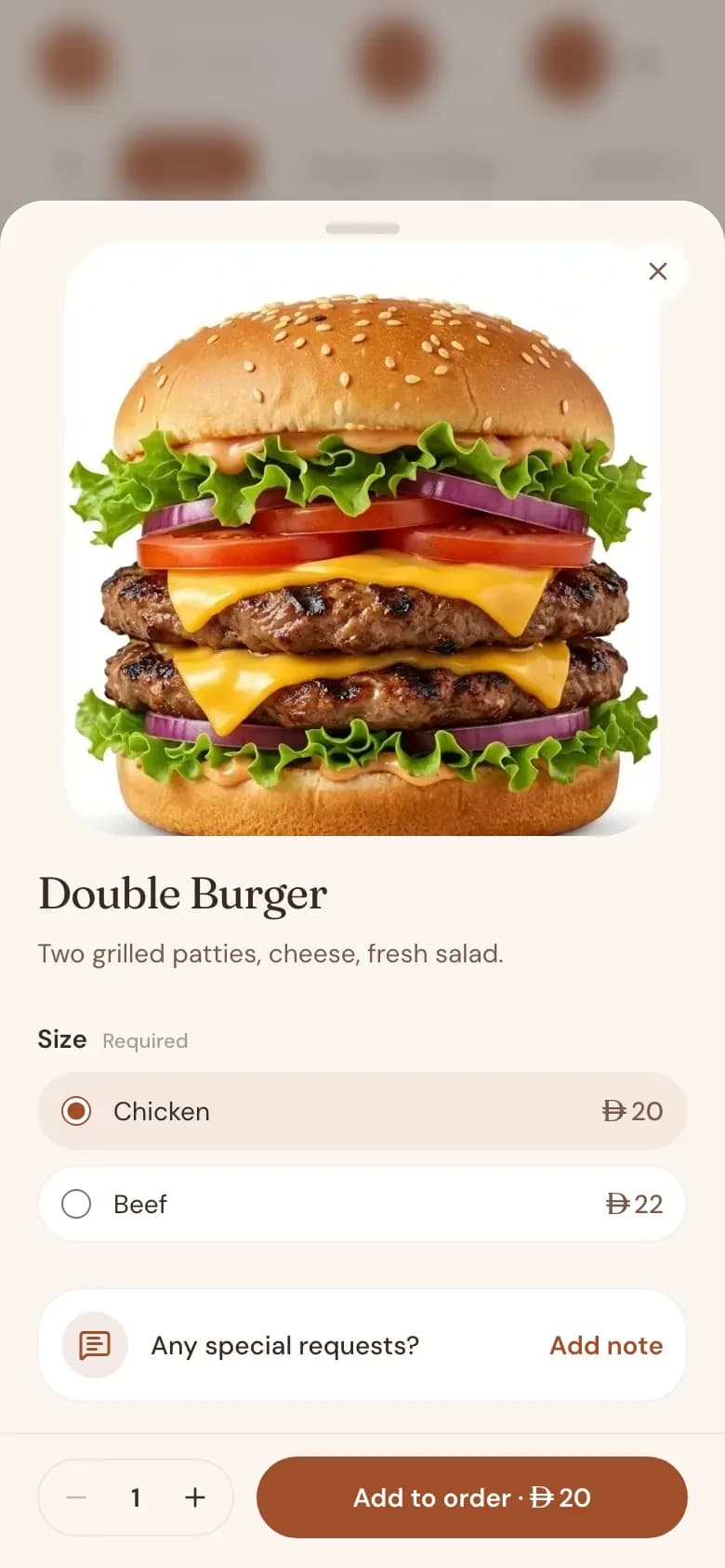
Every juice can have its sizes, each at its own price, and option groups you build once and attach to many items: Add-ons (honey, nuts, ice cream, each with its price), Sugar (normal, less, none), Ice, Milk. A group can be required, optional or limited to a number of choices, so a mix can allow up to three fruits, and an option can add to the price or cost nothing.
The customer sees the price change as they choose, with VAT included the way they will pay. At the counter, one tap adds a juice without choices; a juice with a size or a required choice opens a small box where the number keys pick the options. A special request can go on any line, and each cup is its own line, so two avocados can carry different add-ons.
Build your own, one step at a time
For a mix-your-own juice or smoothie, switch on Build your own for that item in the menu editor. Instead of one long list of choices, the customer's phone walks through them one step at a time: the size first, then each group in your order, with Step 2 of 4, a Next button that waits for a required pick, Back, and a running summary of the choices so far. The card on the menu says Build your own instead of Customize.
It changes how the choices are shown to the customer, nothing else. The line in the cart, the price, the kitchen ticket and the label are exactly what the same choices make without the steps, and the till keeps its quick picker, because a stepper would slow a cashier down. What it does not add are pricing rules: there is no first-three-fruits-free rule, no double portion of one fruit as a quantity, and no combo of separate menu items at a bundle price.
A label on every cup, and orders from the car
With item labels on, Cupcloud prints one label per cup for takeaway, pickup, car and delivery orders: the order number and type, the plate for a car order, the juice, its size, the add-ons that differ from the default, the special request and the time, numbered across the order. Labels never show prices. Choose the categories that get labels, add one short line to every label, such as a reminder to shake before drinking, and print on a thermal label printer, a Zebra or the receipt printer through the print agent on the shop's Windows PC.
Juice shops in the UAE live on car service on summer nights. Customers order from the car with their plate and emirate, your staff can take a car order at the window with just the plate and emirate, and both go to one queue that keeps ringing until someone accepts. A car-park board with your QR prints at A3 or A2 in English and Arabic.
What matters most for a juice shop
Every shop on Cupcloud gets the whole system. These are the parts that matter most behind a juice counter, and why.
- A big menu of combinations: sizes, add-ons with prices, and groups that allow a set number of choices
- Mix-your-own juices: the Build your own steps on the customer's phone
- Cups that look alike: one label per cup with the size and add-ons
- Summer evenings in the car: car orders by plate and emirate, alerts that ring until accepted
- Fruit that runs out: sold out on every screen at once
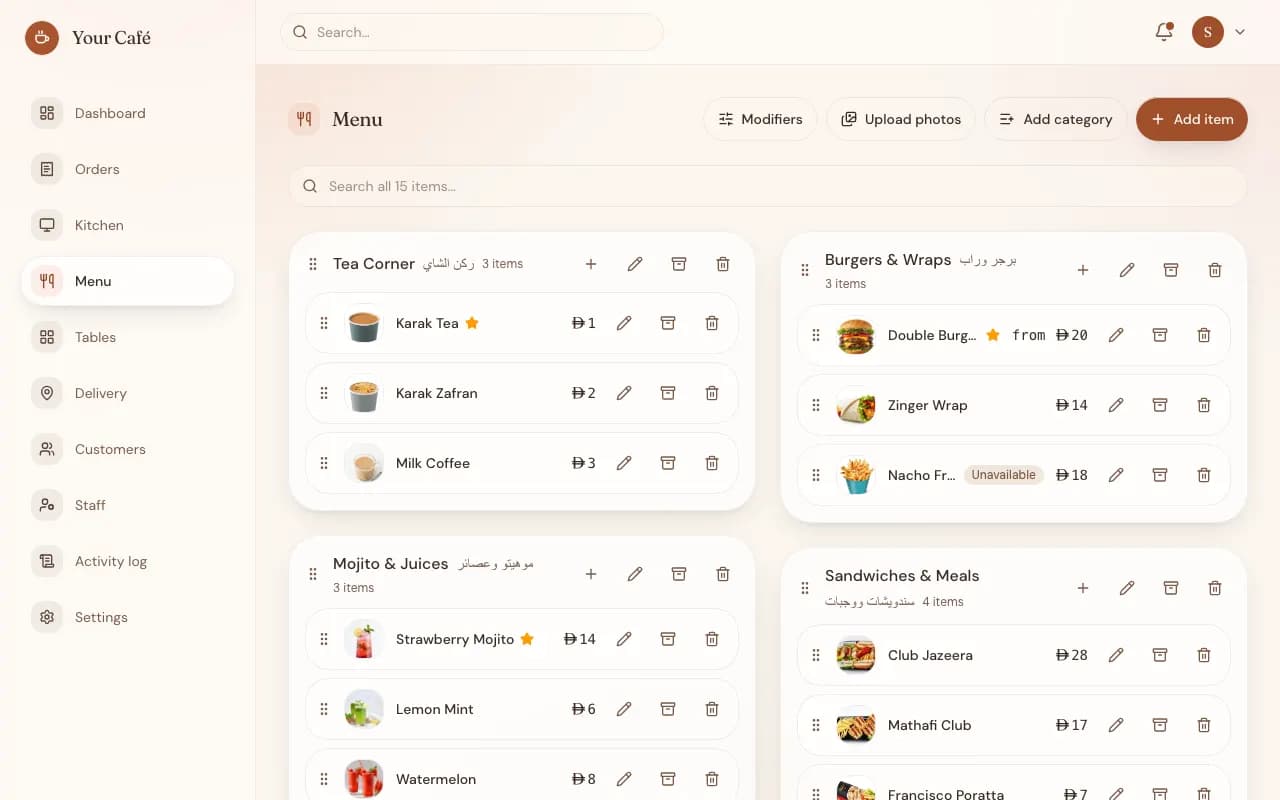
- Photos sell juice: item photos uploaded in bulk, matched by file name, on your own menu site
- Mostly cash: change worked out, card on your own machine, and a guided cash count at the day close
What Cupcloud does not do for a juice shop
There is no inventory: selling a mango juice does not deduct mangoes, and purchase bills record what you spend, not what is left. Option pricing is a price per choice; there are no tiered rules or quantities per option, and no combos as a special item type. There are no loyalty points yet and no delivery-app integration. The counter needs an internet connection; offline mode is coming soon, not available yet. Card payments at the counter use your own card machine, and the manager's admin screens are in English for now.
Common questions
Can a juice shop POS handle many sizes and add-ons?
Yes. In Cupcloud each juice can have sizes at their own prices and option groups like add-ons, sugar and ice, each option with its price, shared across as many items as you like.
Can customers build their own juice from fruits they choose?
Yes. Set up the fruits as a group that allows up to a number of choices and switch on Build your own; the customer's phone then walks through size, fruits and extras one step at a time.
Can I charge more after the third fruit, or the first two free?
No. Each option has its own price; tiered pricing such as the first three free is not built. Many shops price the mix by size and keep the fruits at no extra cost.
Will each cup get its own label?
Yes, when item labels are on: one label per cup with the order number, size and add-ons, printed on a label or receipt printer through the print agent on a Windows PC.
Does it work for car orders at night?
Yes. Customers order from the car with their plate and emirate, staff can enter car orders at the window, and opening hours can run past midnight.
How do I start, and what does it cost?
Sign up online for a 14-day free trial with no card, or send us your menu on WhatsApp and our team will set it up with you. Pricing after the trial is on request, with no commission per order.