A simple cafeteria system for Ajman, run by the owner
Cupcloud is a cafeteria system made in the UAE for small cafeterias and cafés in Ajman: a digital menu in Arabic and English, a counter POS that runs on one tablet or phone, cash and card payments, a nightly Z report and a back office for rent, suppliers and salaries. It runs in a browser and takes no commission per order.
Many cafeterias in Ajman are run by the owner, who is also the cashier, the buyer and sometimes the cook. There is no manager to learn complicated software and no budget for a till, a menu app and an accountant's spreadsheet. What the shop needs is a menu customers can open in a second, one screen at the counter to take the order and the money, and a clear number at night for the cash in the drawer. That is how Cupcloud is meant to be used in a small shop: start with what you need, and add the rest when you are ready.
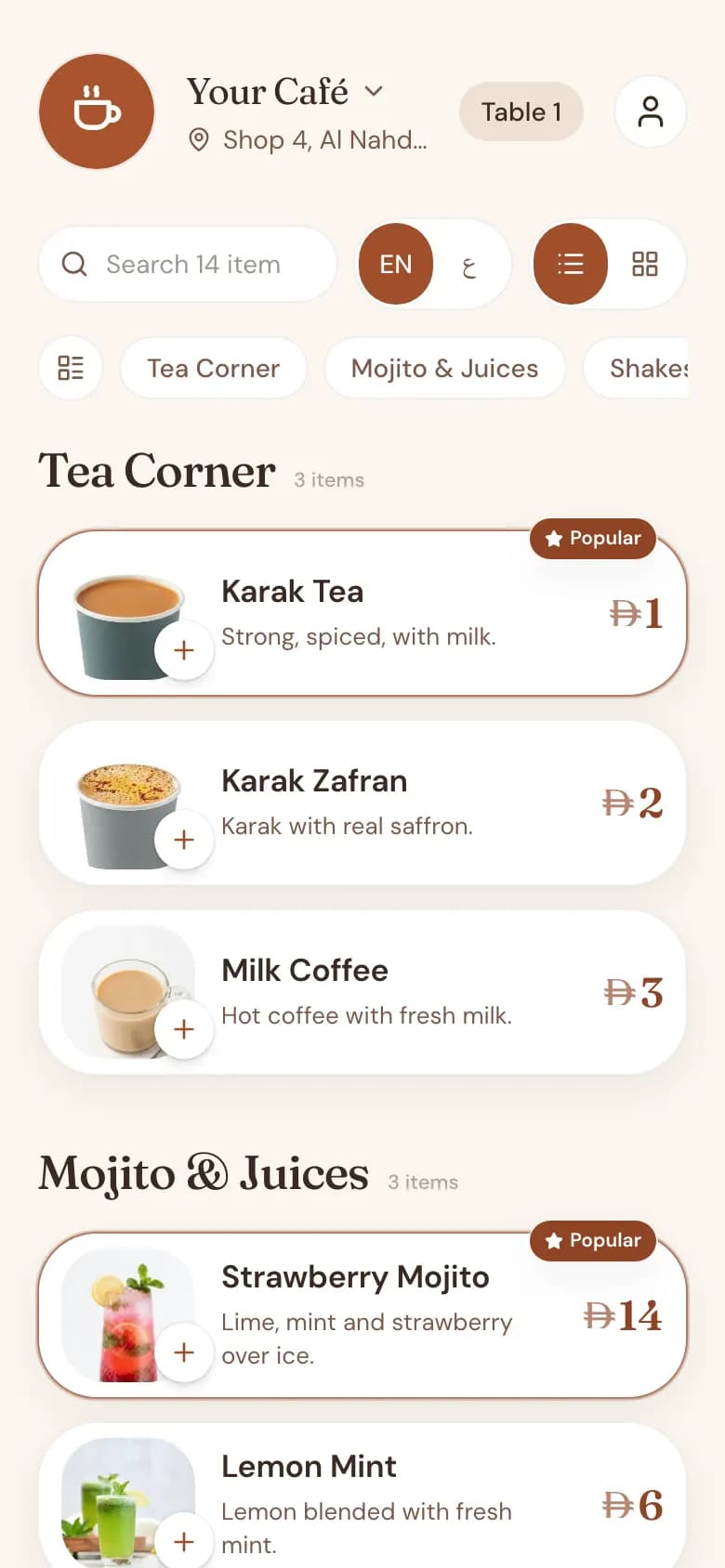
A digital menu in Ajman that your customers open in a second
Your shop gets its own site at its own address, yourcafe.cupcloud.ae, in Arabic and English. Customers open it from a QR code on the counter or the window, or from a link you send on WhatsApp, and nothing needs installing. You choose which language opens first, and you type each item's Arabic and English name yourself, so the menu reads the way you already talk to your customers.
Prices are in AED with 5% VAT shown the way the customer pays. When the bread runs out, mark the sandwich sold out and nobody can order it until tomorrow. The daily changes stay small: a price goes up, a new juice arrives, a photo is added when you have one.
One tablet at the counter is enough
Cupcloud's counter POS runs in a browser on a tablet, a laptop or even a phone, in Arabic or English. It opens on takeaway, ready to sell: tap the karak, tap the sandwich, take the money. A picker opens only when an item needs a size or a required choice, and a changed order is edited in place.
Customer orders from the QR menu ring on the same screen until someone accepts them, so the owner behind the counter does not need to watch a second device. A small shop does not need a kitchen screen or a printer to start; the order list on the counter tablet is the kitchen's list.
- Search items in Arabic or English, or by a short code
- Popular items at the top, automatic or chosen by you
- Staff roles for a cashier or a waiter, so the owner's settings stay the owner's
Start with the menu and the counter, add the rest later
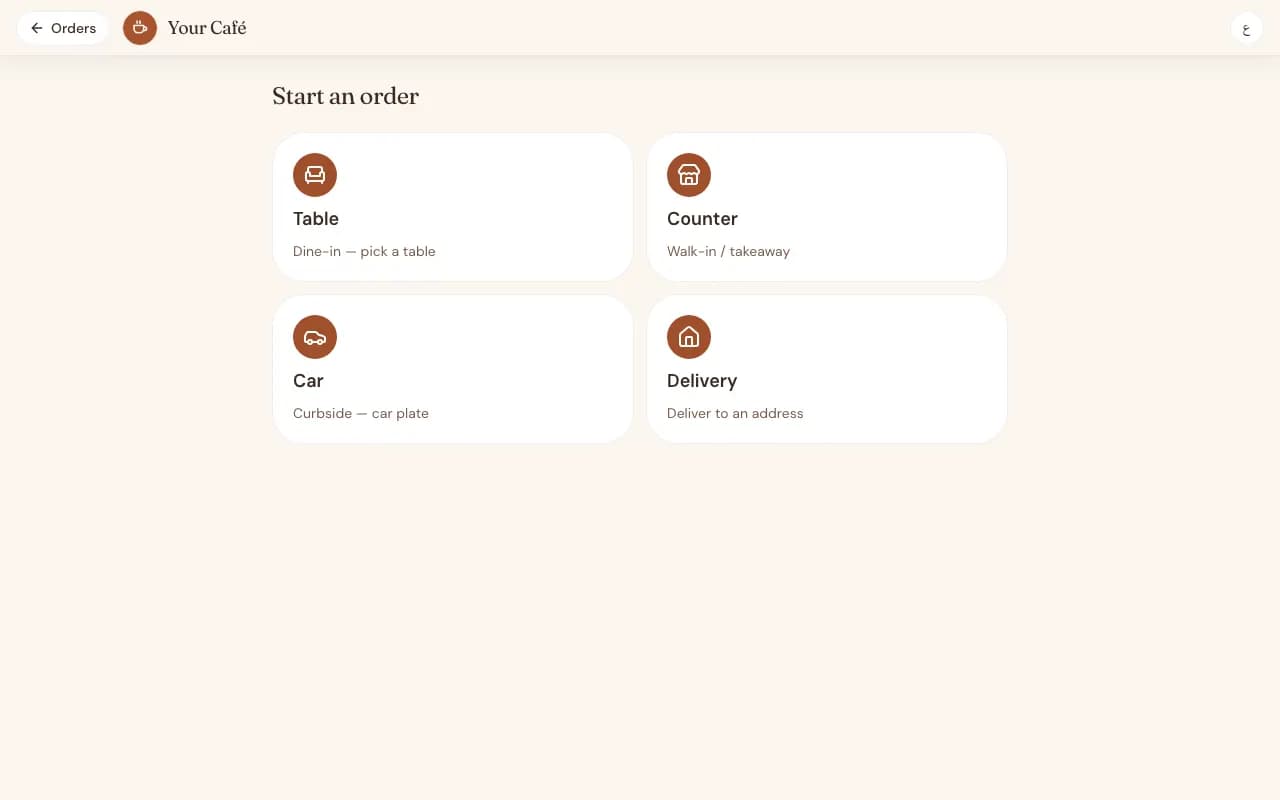
You do not have to switch everything on the first day. Plenty of small shops begin with the menu and the counter, then add more once the staff are comfortable. Each way of ordering is a switch the manager turns on or off.
- Car orders, where the customer gives the plate number, emirate and mobile and you carry the order out
- A QR code for each table, if you have seating, with table stands you print as a PDF
- Delivery to zones you draw on a map, with your own fee for each and your own driver
- Kitchen tickets, bills and item labels through a print agent on a Windows PC, when you want paper
Cash with the change worked out, card on your own machine
Most small-cafeteria customers pay cash. In the payment dialog the cashier types the note received and the change appears on screen, and on the bill if you print one. A card payment is taken on your own card machine and recorded with one tap; one bill can also be part card, part cash. Only a cashier or the manager takes payment, so a waiter cannot close an order by mistake.
If you want customers to pay by card online, your café connects its own gateway account: PayTabs you can connect from Settings yourself, and N-Genius, Ziina, Mamo, Tap, Stripe, Checkout.com and Telr are set up with our team. The money goes straight to you. Cupcloud never holds it.
A cash count you can trust at night
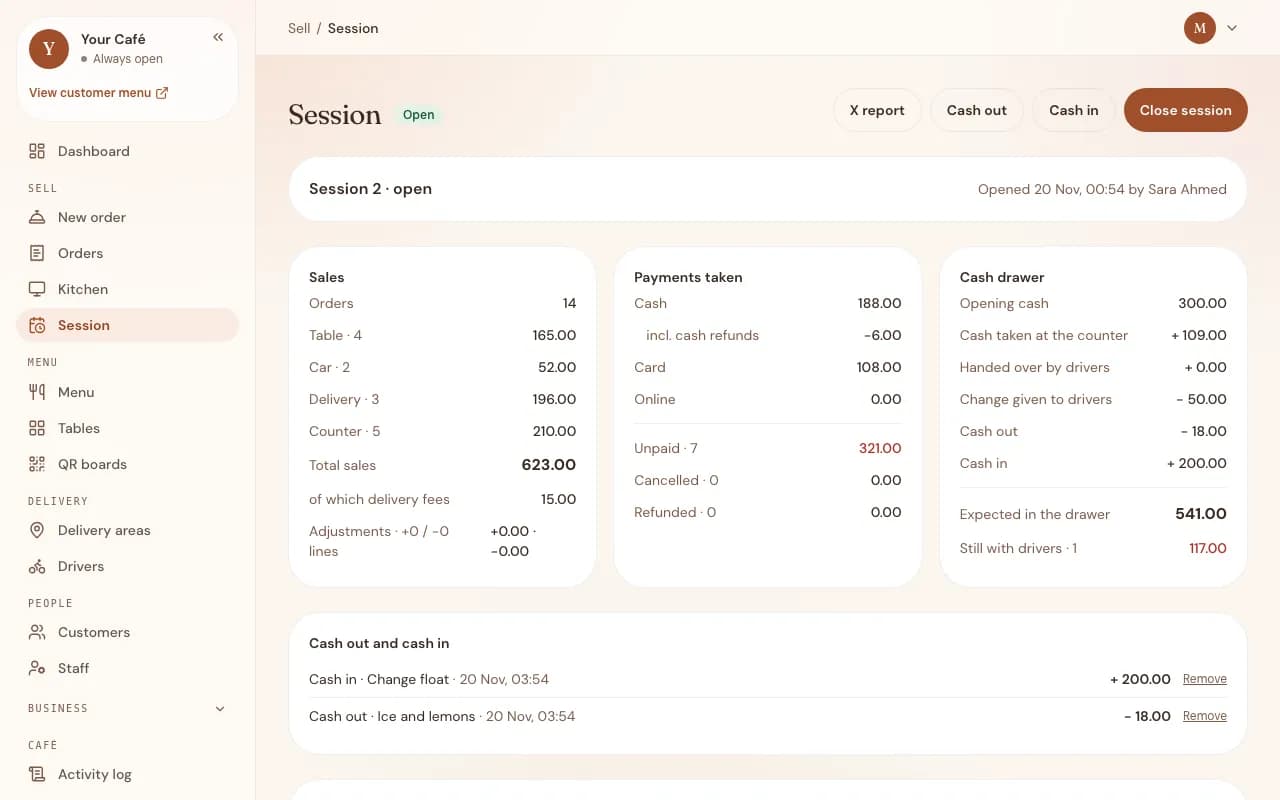
When the owner is not at the shop every night, the cash count is where trust lives. Cupcloud opens a session by itself with the first order, and at closing whoever closes follows the same steps: open orders, drivers if you deliver, count the cash, confirm. The screen shows the cash expected against the cash counted and the difference, and the Z report gets a running number. Only a manager can reopen a closed day, and only the last one.
The owner can open the session from home and see the day's sales, cash and card apart. Changes are kept in an activity log with the name of whoever made them, so you know who did what.
Rent, suppliers and salaries in the same place
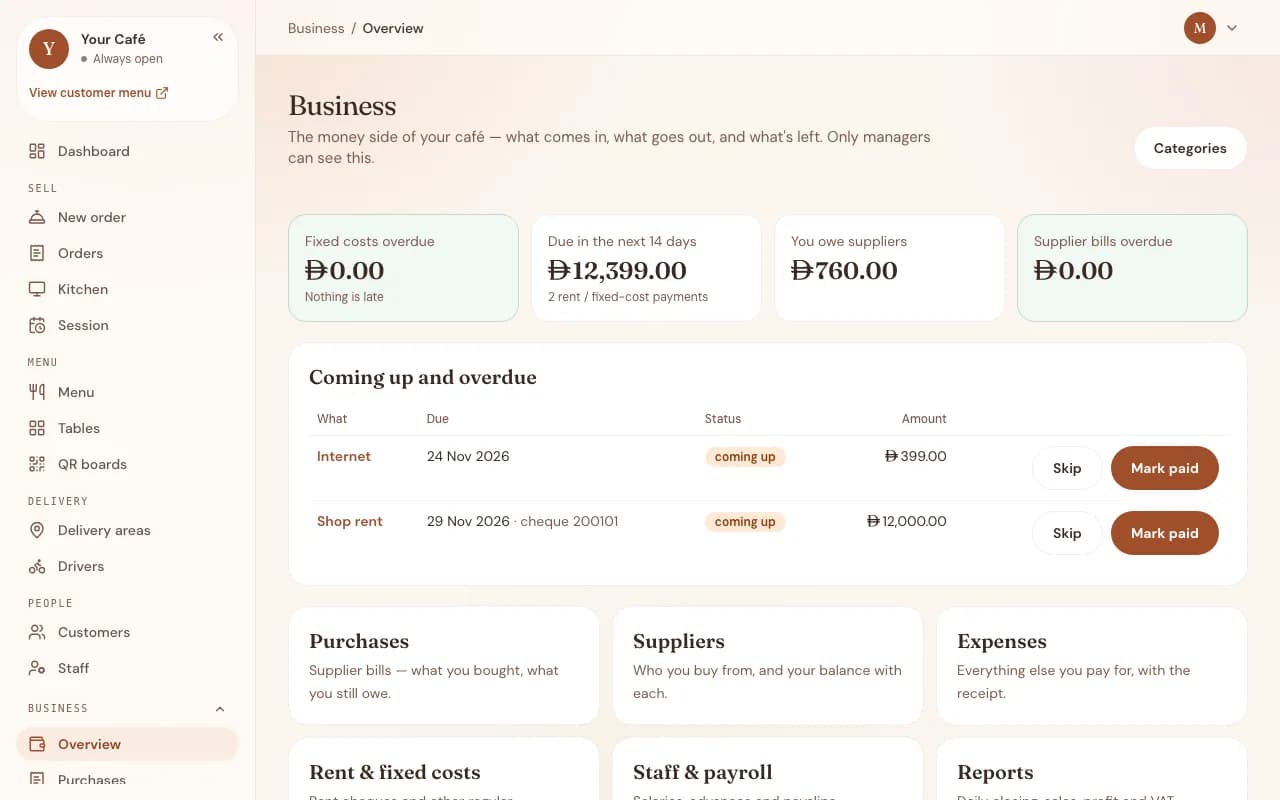
A small cafeteria still has a landlord, a supplier who brings milk and bread, and staff who need paying on time. Cupcloud's back office keeps them next to the sales: supplier bills and what you have paid against them, daily expenses, rent and fixed costs with the cheque schedule, and staff with advances, monthly payroll and payslips.
Money records are voided, never deleted, so the history stays honest. The reports then put it together: sales, expenses, payroll and a profit and loss for the month, plus a VAT summary, exported as CSV for whoever does your accounts. Back office and reports are for the manager only.
Kind to a tight budget
Cupcloud takes no commission per order, so a good day's sales stay yours. You can start with a 14-day free trial, no card needed, by signing up online, or ask our team on WhatsApp to set your shop up with you; pricing after the trial is on request and we will give you a clear answer.
A few honest limits: Cupcloud does not keep stock of your ingredients, does not bring in delivery-app orders, and needs an internet connection at the counter. An offline mode is coming soon. Cafeterias in Ajman already using Cupcloud are listed below.
Common questions
I am not good with technology. Can I still use Cupcloud?
Yes. Our team can set up your shop with you, and everything runs in an ordinary browser on a phone or tablet, in Arabic or English.
Do I need to buy a POS machine or a printer?
No. A tablet or phone you already have runs the counter POS. A thermal printer and a Windows PC are only needed if you want printed tickets, bills or labels, and card payments use your own card machine.
Can I see the day's sales when I am not at the shop?
Yes. The manager can sign in from any phone and see the session, the orders and the reports, and the Z report shows the cash counted against the cash expected.
Can Cupcloud track my stock of tea, milk and bread?
No. There is no inventory or recipe stock today. Supplier bills in the back office record what you spend, not stock levels.
Does Cupcloud take money from each order?
No. There is no commission per order, and customers pay your shop directly.
Can a small cafeteria in Ajman start with just a QR menu?
Yes. Many shops start with the QR menu in Ajman and the counter screen, then add the kitchen screen, printing or delivery later. You print the table stands or a car-park board yourself from Cupcloud, so you need no designer to begin.
How much does it cost for a small cafeteria in Ajman?
Pricing is on request; message us on WhatsApp and we will tell you clearly. You can start with a 14-day free trial first, with no card needed.