QR code table stands and car park boards, printed from your café's own admin
Cupcloud's QR boards are ready-to-print QR code table stands and car park boards for cafés and cafeterias in the UAE. A manager prints A6 table stands, four to an A4 sheet with each table's own code, and an A3 or A2 board for the car park, in English and Arabic with the café's logo and colours. They print from the browser or save as a PDF for a print shop.
The QR code is the front door of a digital menu, and too often it is a small square on a sticker that peels off by the end of the month, or a code nobody in a car can reach. Cupcloud makes the boards for you from the café's own details, so the code on the table and the board in the car park look like your café, say the right thing in both languages and open the right way to order.
A code people can actually scan
A QR menu only works if customers notice the code, understand what it does and can scan it from where they are. A guest at a table needs a small stand within reach. A driver in the car park needs a big, clear board they can scan through the windscreen without getting out.
Both also need a few words that tell people what happens next. That is why every Cupcloud board says "Scan to order" and "No app needed" in English and Arabic, right next to the code.
Print your QR boards in a few clicks
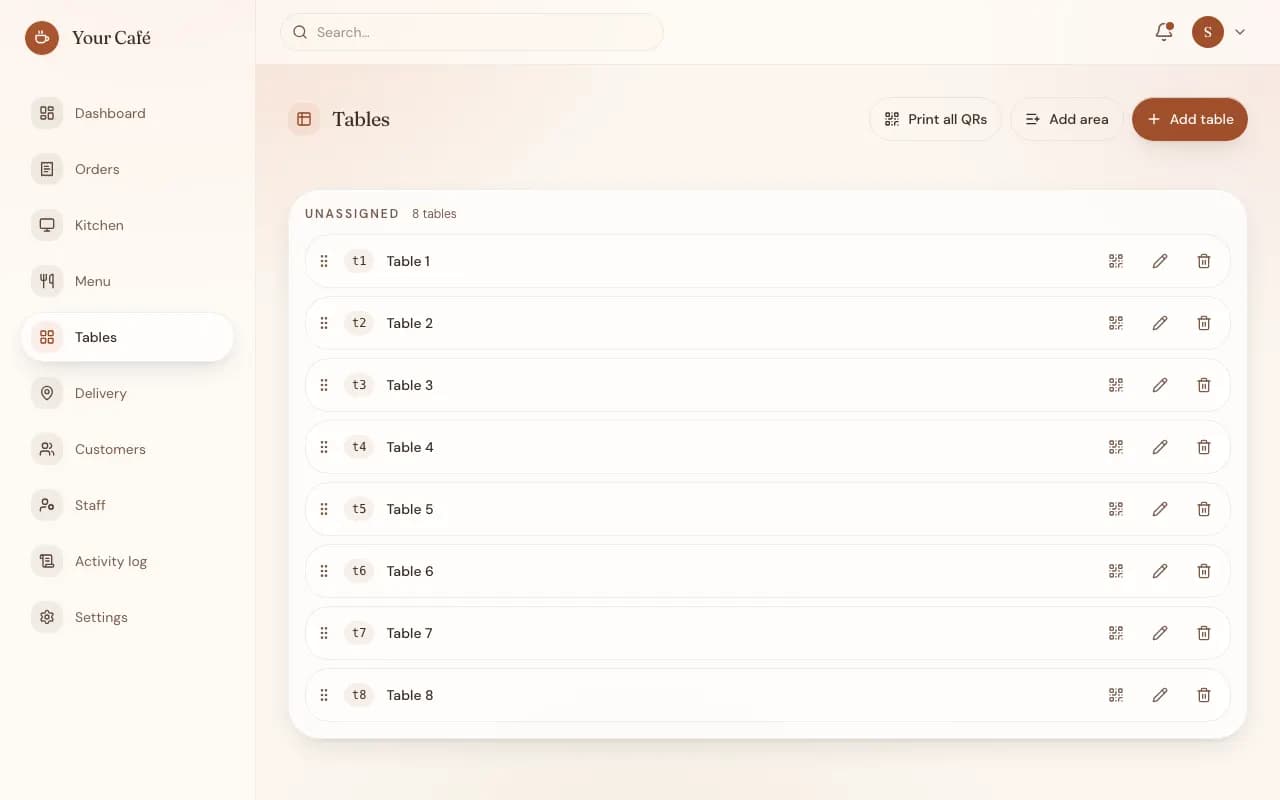
In the café admin, a manager opens QR boards (also linked from the Tables page). The page shows the boards your café can use today, based on the ways you take orders, with a preview of each and a print button.
- Table stands: A6 cards, four to an A4 sheet, with dashed cut lines
- Car park board: A3 or A2, portrait
- English and Arabic on every board, with your café's name in both when you have an Arabic name
- Print straight from the browser, or save as a PDF and send it to a print shop
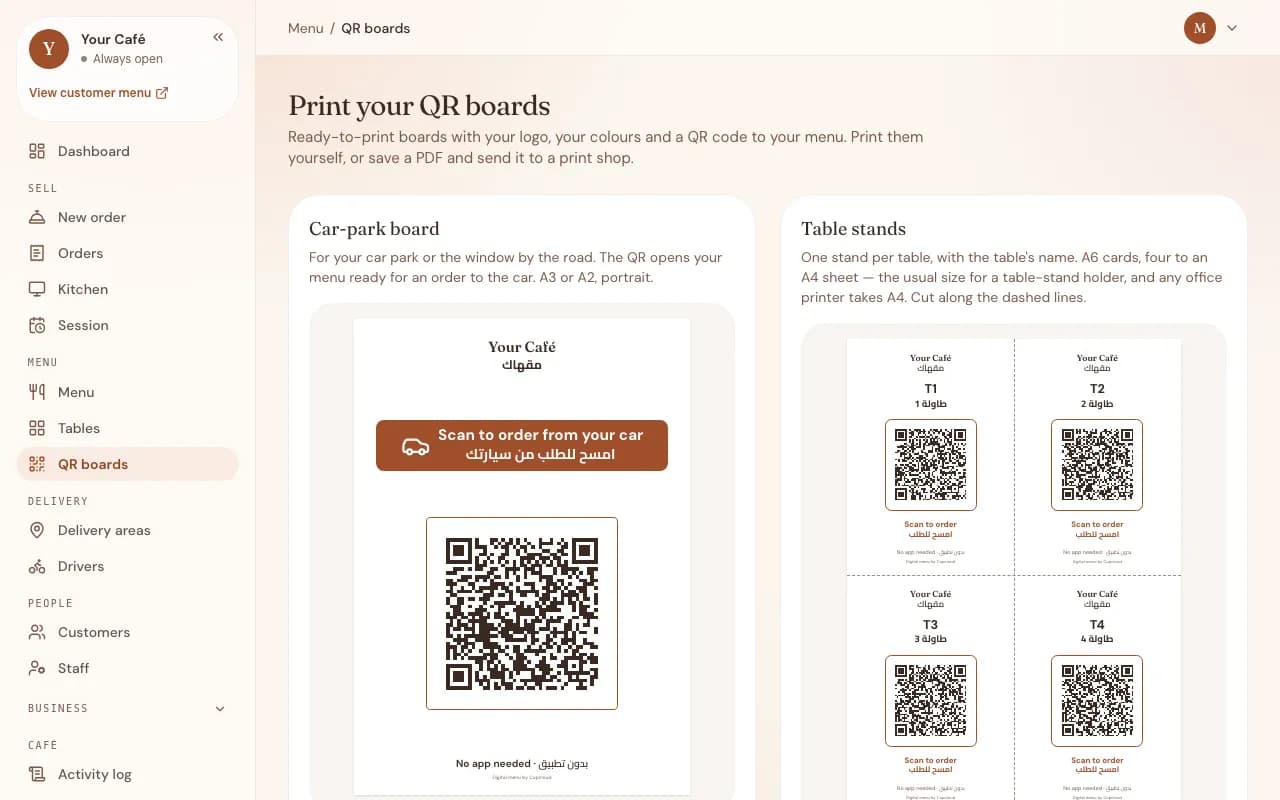
Table stands: one code for each table
Each table stand carries that table's own code, the same one shown on the Tables page, so an order placed from it arrives in your queue already marked with the table. The stand shows your logo, the table's name (and its number in Arabic when the name ends in a number), "Scan to order" and the code.
A6 is the usual size for an acrylic table-stand holder and fits a small café table. Four stands fit on one A4 sheet, so any office printer can print them without wasting paper. The code on a stand is large enough to scan comfortably from a seat.
The car park board opens car ordering
The car park board is for cafés that take orders from the car. It shows your logo, your name, "Scan to order from your car" in both languages and a large code, on A3 or A2 paper.
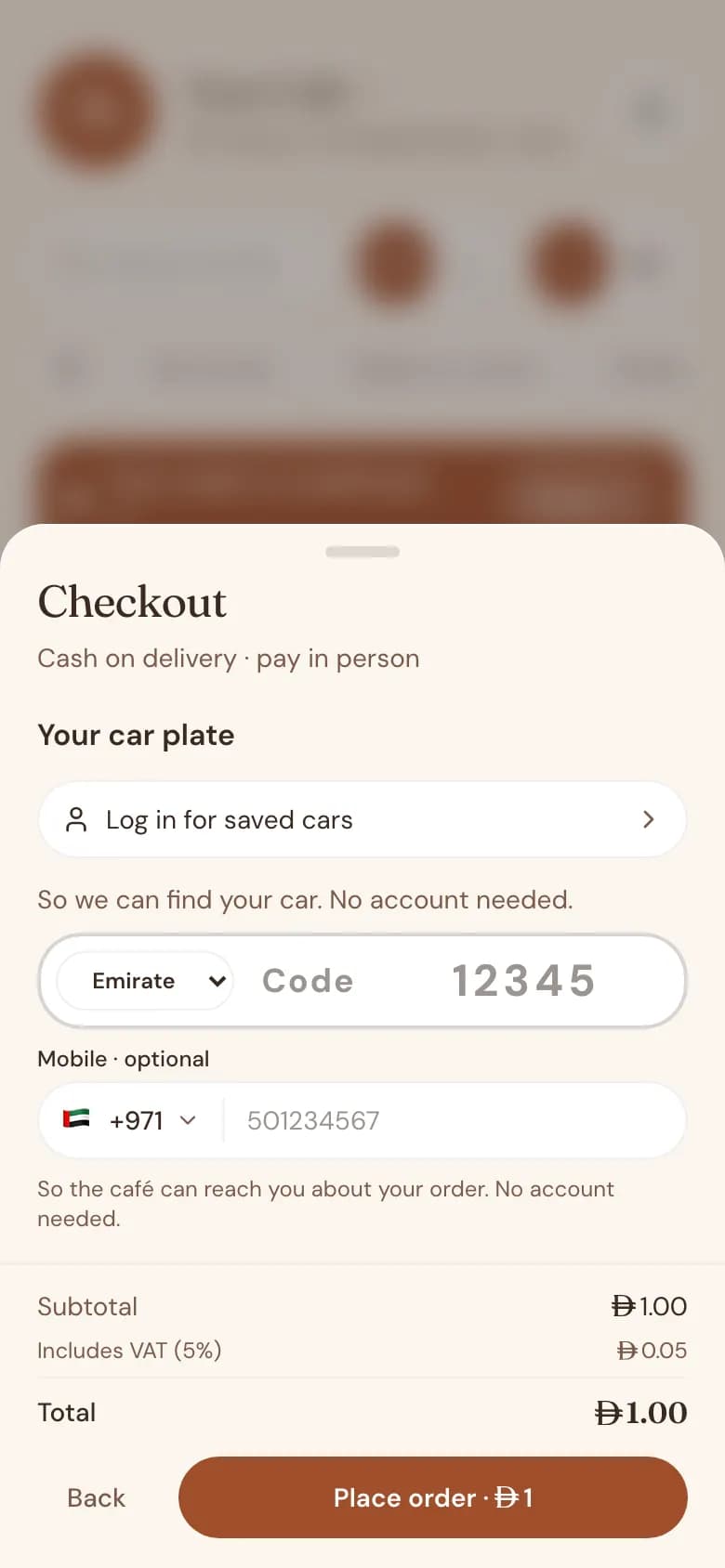
Its code opens your menu with car ordering already chosen at checkout, so the driver goes straight to entering their plate and emirate. Every checkout rule stays the same, and the customer can still pick another way to order. The board appears on the page only while car ordering is switched on for your café.
Your logo, your colours
Boards use your café's own accent colour and, when it reads well on paper, your background colour. The logo prints from a high-resolution copy, so it stays sharp on an A2 board; if your logo was uploaded a long time ago, uploading it again gives a crisper print.
The code itself is always dark on white with a clear margin around it, because that is what every phone camera reads fastest, whatever your brand colours are.
Printing and placement tips
When you print, choose the right paper size, print at 100% or Actual size, set margins to None and turn on Background graphics so your colours come out. The page reminds you of all four.
Where you put a board matters as much as how it looks. A few practical habits help customers find the code first time.
- Car park: put the board at a driver's eye level, facing the parking spots, close enough to scan through a windscreen
- Avoid glare: matte paper or a non-reflective frame scans better than glossy lamination in the UAE sun
- Tables: face the stand towards the seats and keep it away from napkin holders and menus
- Keep a spare sheet of stands for tables that move or get wet
A free QR code generator for any other link
Need a code for something else, such as your Instagram, your WhatsApp or a flyer? The free QR code generator on cupcloud.ae makes a QR code for any link, with no sign-up. Your Cupcloud menu link already works as a QR code too, so you can put it on bags, receipts and the shop window.
Common questions
Do I need a designer to make QR code table stands?
No. Cupcloud builds the stands and the car park board from your logo, colours and tables. You choose the paper size and print.
Can I print the boards at a print shop?
Yes. Save the board as a PDF from the print dialog and send it to any print shop, at A3 or A2 for the car park board.
Why don't I see the car park QR board?
The car park board appears only while car ordering is switched on for your café. Table stands appear when dine-in is on and you have at least one active table.
Does each table get its own QR code?
Yes. Each stand carries that table's own code, so orders arrive marked with the table.
Who can print the QR boards?
A manager. The boards are in English and Arabic; the admin page around them is in English for now.
How do I start, and what does it cost?
Sign up online for a 14-day free trial, no card needed, or message us on WhatsApp and our team will set it up with you. Pricing after the trial is on request, with no commission on orders.